
Agree the Blueprint.
Define the workflows, connections, responsibilities and costs before the build.
BUILT FOR AUSTRALIAN FINANCIAL ADVICE FIRMS
Bunya Command Centre brings client records, advice workflows, reviews and AI-assisted preparation together—so your team can see what needs attention and move the next step forward.
Built around your firm. In your Microsoft environment.
Start here every morning
You have one front door for client priorities, advice work, reviews, and activity due.
Your day
Already at work in
Australian advice firms
 Read their case study ↗

ONE MEETING. A CLEAR NEXT STEP.
See how Bunya Voice and Command Centre can connect a client conversation to the work that follows.
Start with a supported call or Teams meeting.
Bunya VoiceBring the notes and proposed actions together with AI assistance.
AI-assisted preparationCheck the detail, make changes and decide what happens next.
Human judgementGive the agreed work an owner and a next step.
Command CentreSee the client context and outstanding work in one place.
Practice visibilityAn example of a configured workflow. Supported meeting sources, AI steps and follow-up actions are agreed for your firm.
Explore connected calls and meetings ↗MEET COMMAND CENTRE
Command Centre is Bunya’s core product. Bring the client record, the work and the next action into the same view.
Bring active work, upcoming meetings and client context into view. Open the record behind the next action.
Explore Command Centre ↗Recreated interface · illustrative data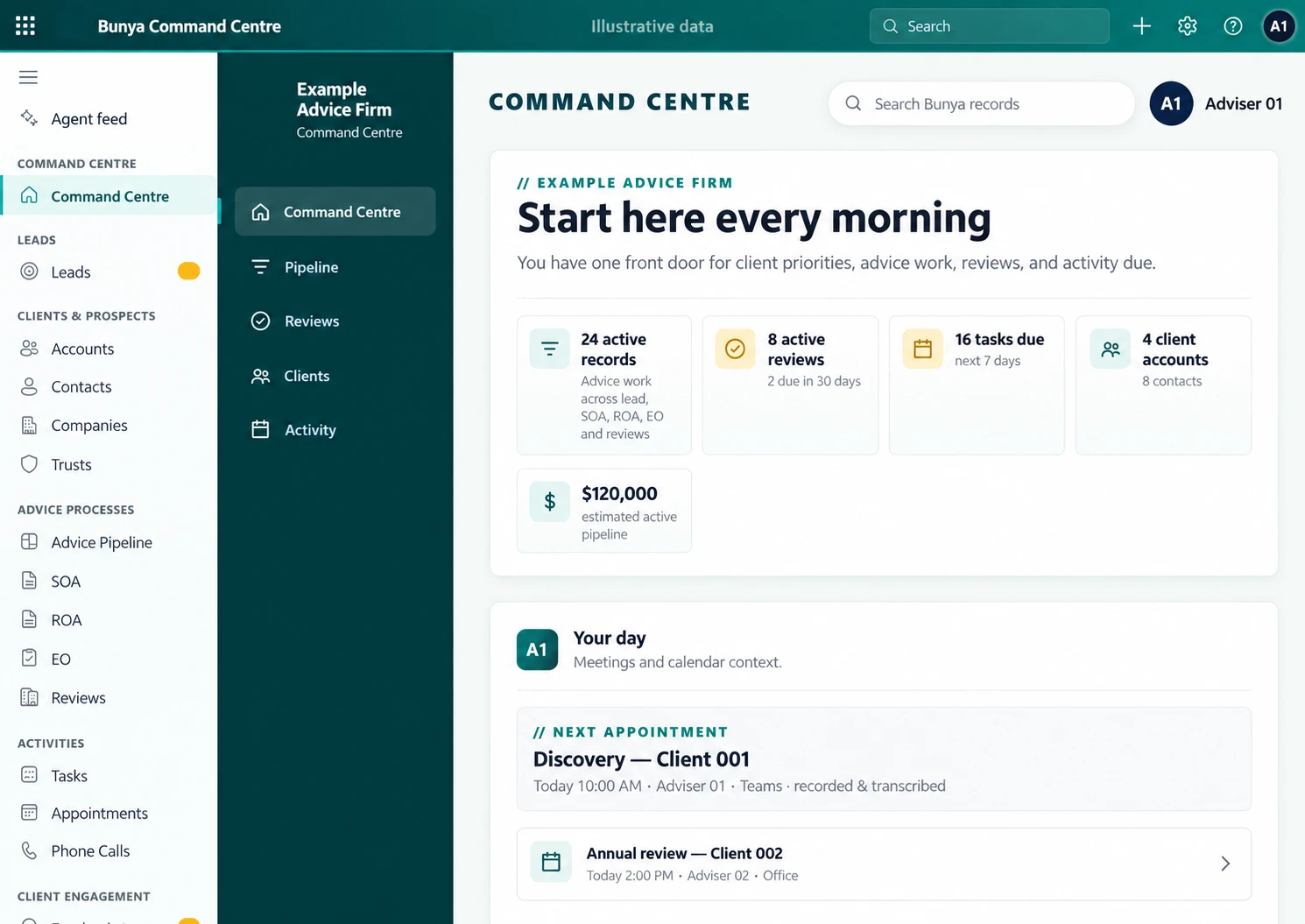
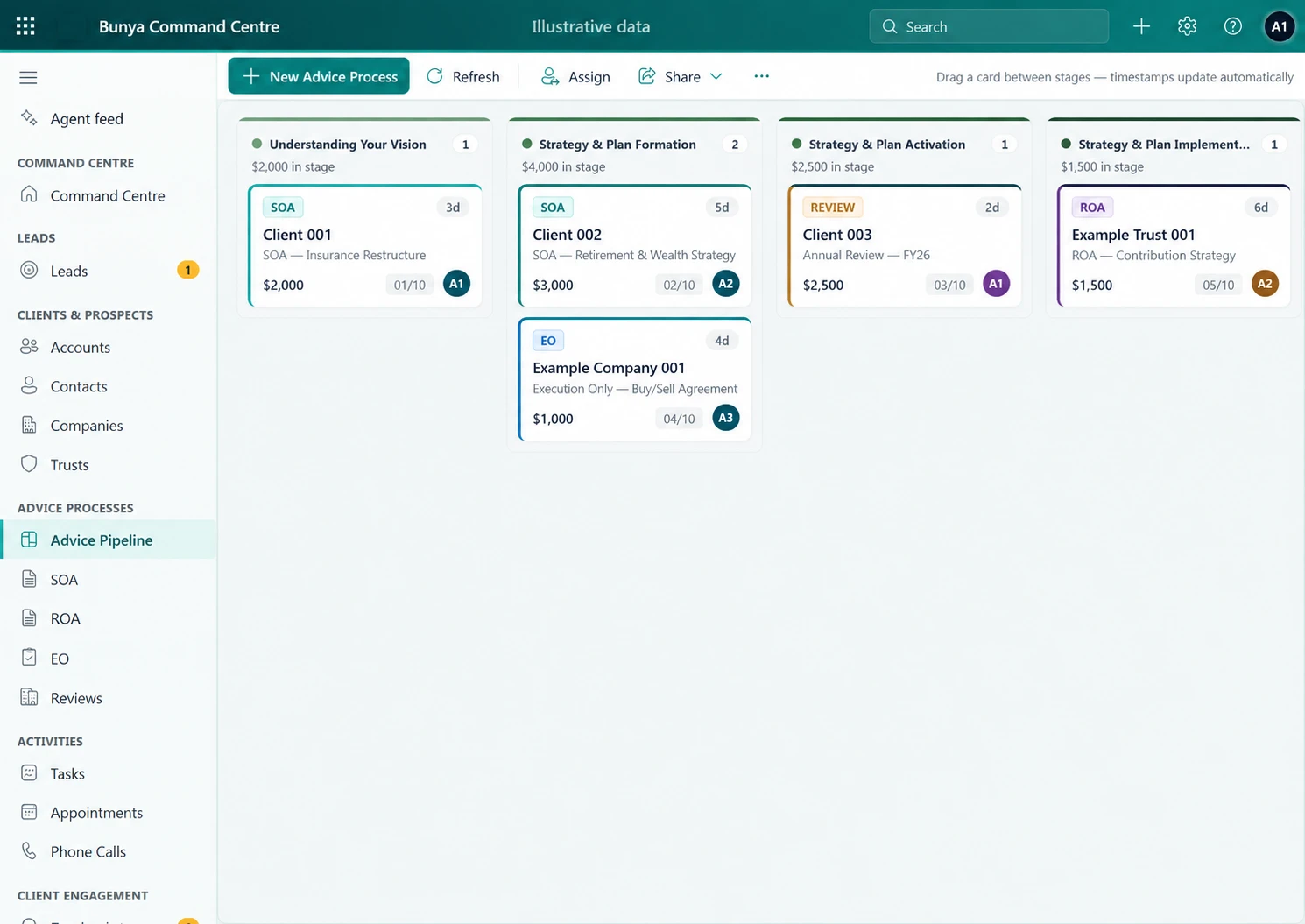
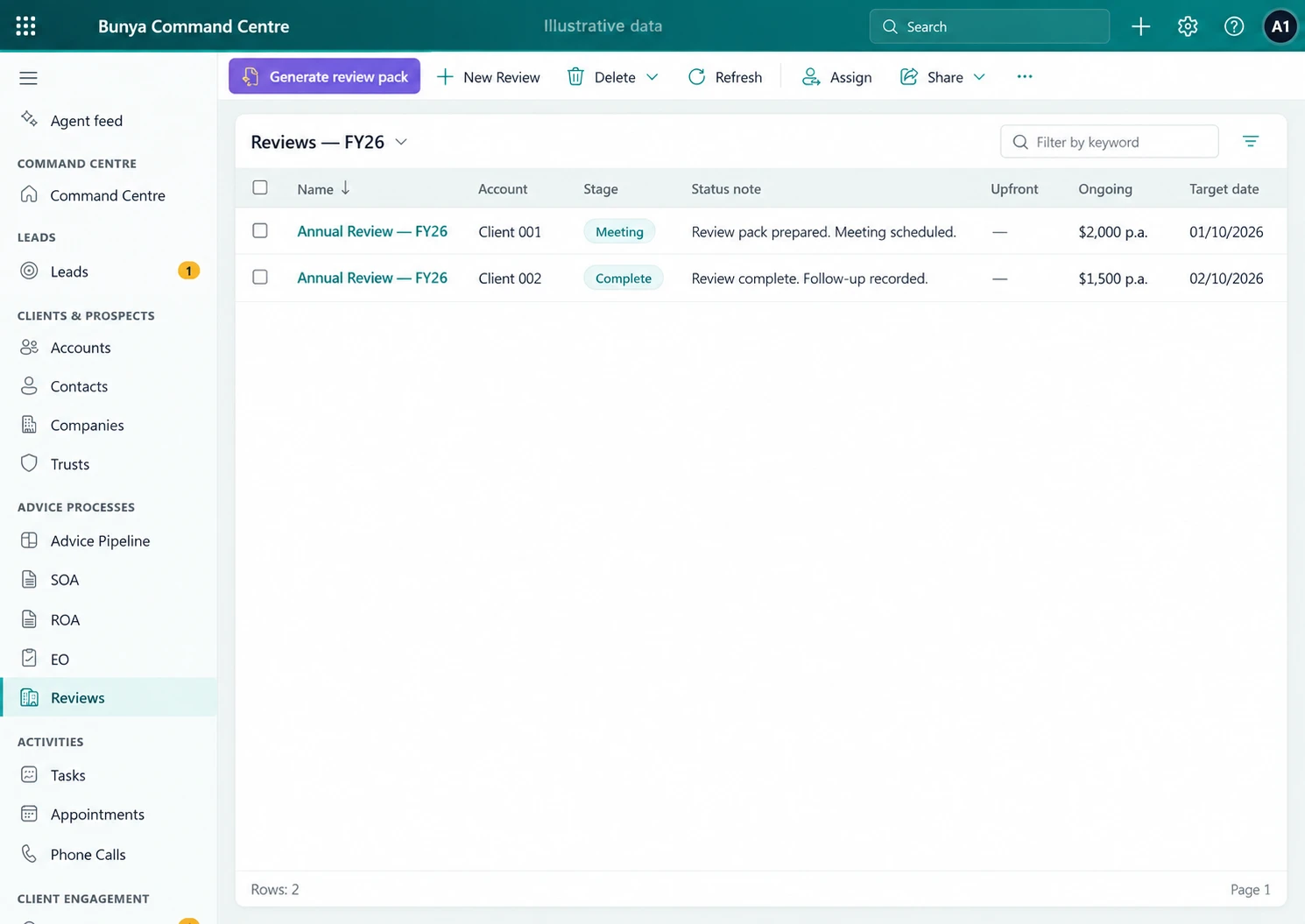
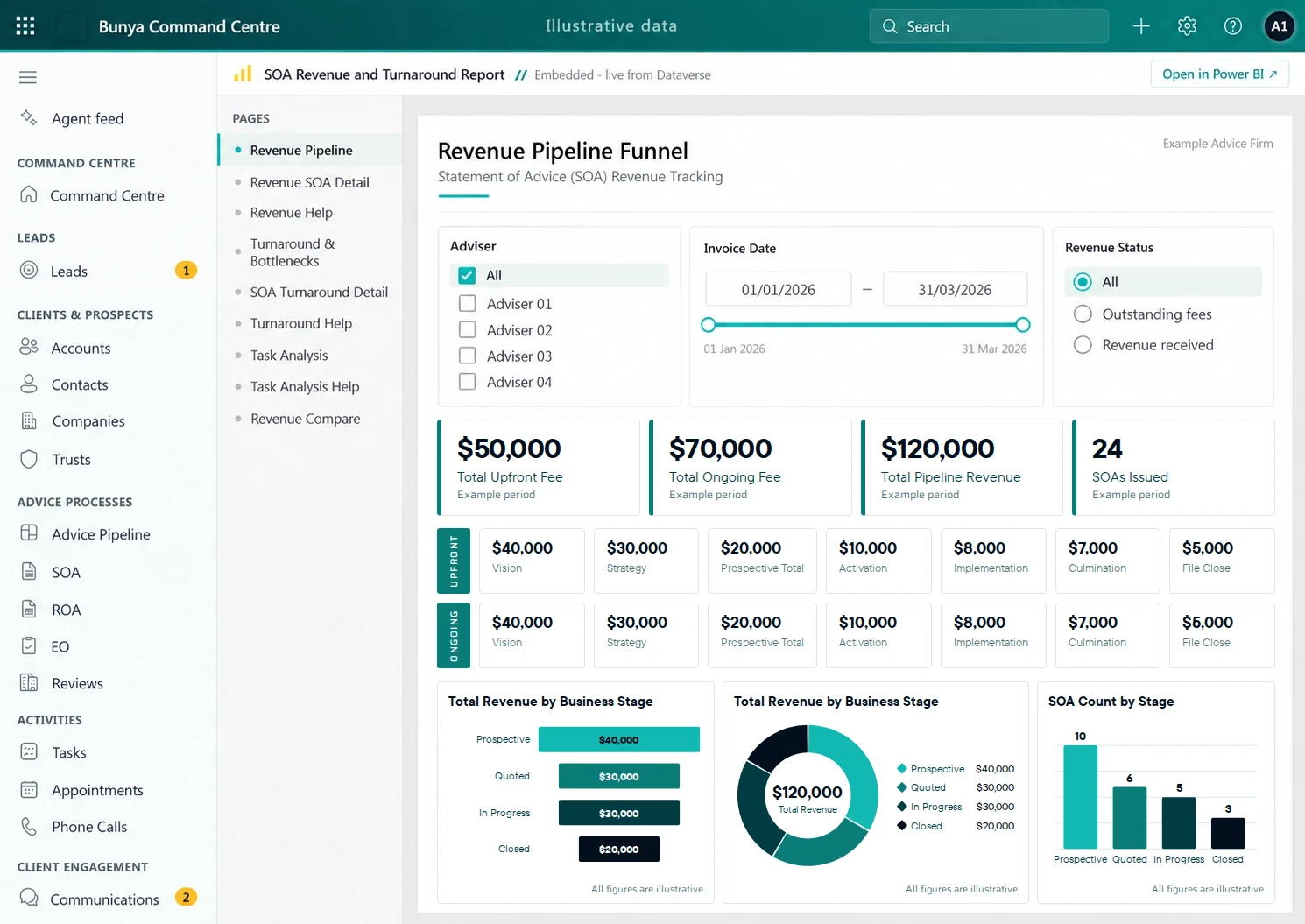
THE CORE. AND EVERYTHING CONNECTED TO IT.
Command Centre sits at the heart. Connect the conversations, capabilities and Microsoft tools that support the work.
 Command CentreAI layer
Your client context. Your firm’s workflows.
EXTEND YOUR REACH
Broadcast HQ connects campaign creation, review and supported publishing.
Explore Broadcast HQ ↗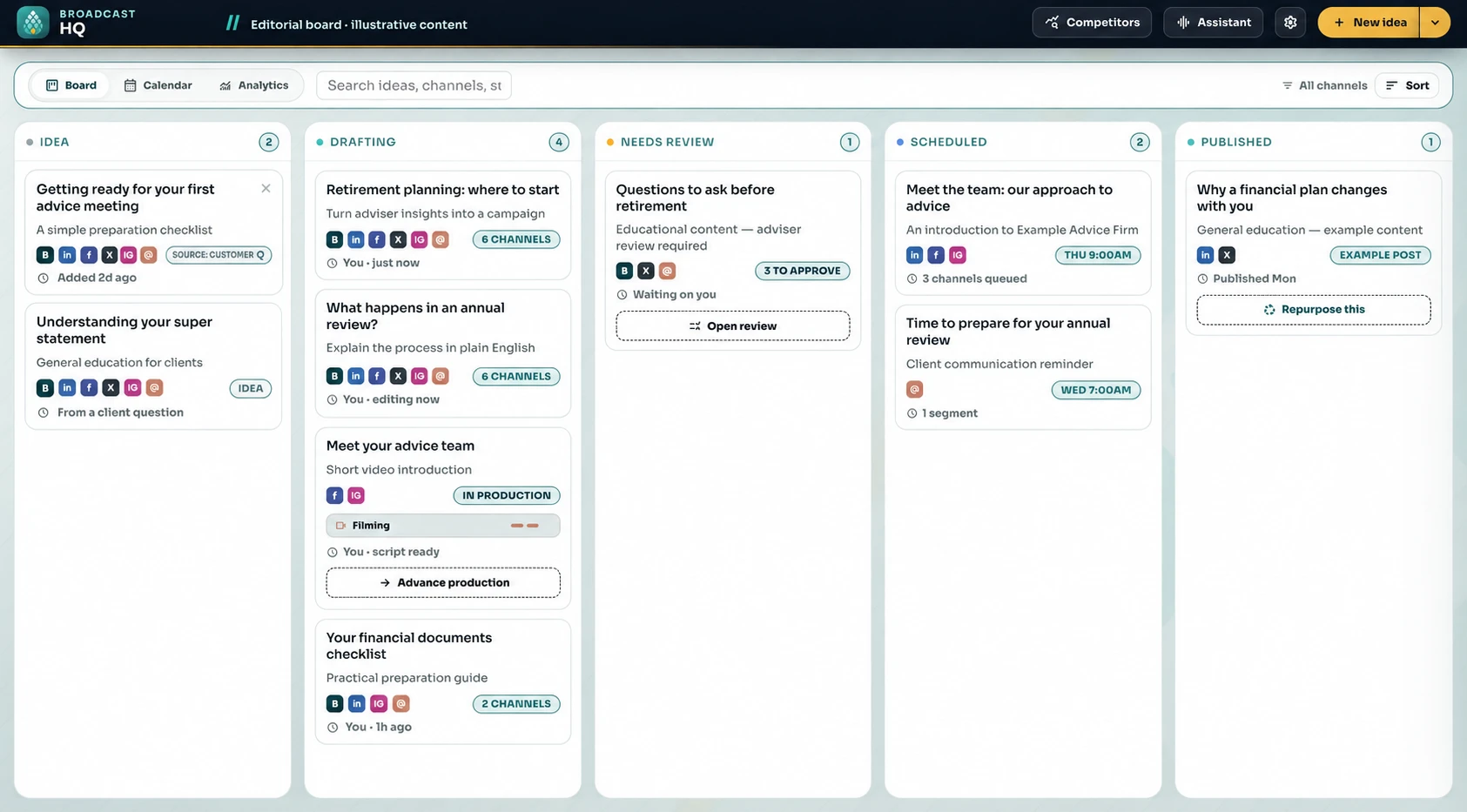
KEEP THE CONVERSATION CONNECTED
Bunya Voice connects supported calls and meetings to client work and follow-up.
Explore Bunya Voice ↗BUILT AROUND YOU
Bunya is delivered in your firm’s Microsoft environment. Shape the workflows and roles around the way your team operates.
Your agreement defines the components, rights and handover. Microsoft licences, usage and ongoing services remain part of the cost picture.
Understand the model ↗CONFIDENCE IN THE MOVE
Define the workflows, connections, responsibilities and costs before the build.
Prove representative scenarios and the migration approach with your people.
Use client video tutorials, practical tasks and agreed support to make the move.

YOUR NEXT CHAPTER STARTS WITH ONE WORKFLOW.
Talk through your priorities in a guided demo.